The Risks Of Using Unsupported Software
On a Monday morning, everything feels normal. Staff logged in as usual. Emails started flowing. Orders came in. The business opened its doors and got on with the day.
By lunchtime, something is off.

A couple of people couldn’t access files they needed. Some systems were running painfully slowly. By mid-afternoon, screens were freezing, phones were ringing, and no one quite knew what was safe to touch. Later, the business had to shut early.
What followed was days of downtime, missed deadlines, awkward conversations with customers, and a call from an insurer that didn’t go the way anyone expected.
And a growing realization that something which had been relied on for years had finally become a serious liability.
The software at the center of it all hadn’t suddenly failed. It hadn’t expired overnight. It had been unsupported for a long time.
No one had thought much about it, because it had always worked.
That’s how unsupported software usually shows up in a business. Something familiar that stops being safe long before it stops functioning.
What Unsupported Software Means
When people hear the phrase “unsupported software”, they often assume it means software that’s broken, outdated beyond use, or somehow switched off.
But unsupported software often looks and behaves exactly as it always has. Software is considered “supported” when the company that created it is still actively maintaining it.
That maintenance includes fixing bugs, closing security gaps, and responding when new threats or problems are discovered.
If support is in place, the software continues to evolve to stay safe and compatible with the world around it. At some point, that support ends.
This usually happens because the software has reached the end of its planned life. Newer versions are available, technology has moved on, and the manufacturer decides it’s no longer safe or practical to keep updating the old version.
A good example is Microsoft ending support for Windows 10. Computers running Windows 10 didn’t suddenly stop turning on. People could still log in and do their work.
But once support ended, any new security weaknesses discovered after that date wouldn’t be fixed. Microsoft wouldn’t step in to help if something went wrong.
Unsupported software isn’t broken. It’s unprotected.
And because it keeps working, it’s easy to miss the moment when responsibility shifts from the software maker to the business using it.
The First Few Weeks: Why It Feels Harmless
When software first becomes unsupported, almost nothing changes from a day-to-day point of view.
People keep using it. Work gets done. From the outside, it feels the same as it did the week before.
This is why unsupported software often stays in place longer than anyone expects. There’s no obvious pain to respond to. No urgency. No clear reason to stop what you’re doing and deal with it.
But under the surface, something important has changed.
From this point on, any new problems discovered in that software stay there permanently. If a weakness is found that could allow someone to gain access, there’s no fix coming. The door stays unlocked.
The risk exists even though nothing feels wrong. That’s what makes it easy to ignore.
After A Few Months: The Risk Starts To Grow
As time passes, the gap between supported and unsupported software gets wider.
New security issues are discovered across the technology world all the time, often by researchers or the software vendors themselves.
When software is still supported, those issues are fixed as part of normal updates. When it isn’t, they remain open.
That matters because information about these weaknesses isn’t secret. It’s widely shared so that supported systems can be protected.
Unfortunately, that also makes unsupported software easier to identify and target.
Meanwhile, other systems in the business continue to change as computers are updated, new tools are introduced, and ways of working evolve.
At first, these risks show up as minor annoyances. Things take longer than they should, workarounds become part of daily routines, and support questions take more time to answer. Nothing dramatic, but nothing improving either.
Externally, the pressure starts to increase too. Insurers ask more detailed questions. Suppliers want reassurance. Partners expect a certain level of security as standard. Answering confidently becomes harder when parts of the setup haven’t been properly maintained.
The software is still running, but the business is slowly losing ground.
Over The Years: The Consequences Become Serious
Left long enough, unsupported software stops being a background issue and starts shaping how exposed the business really is.
At this point, the risk is no longer theoretical. A single outdated system can become the easiest way into the rest of the environment.
Once someone gains access through one weak point, it can affect files, accounts, email, and customer data far beyond the original system.
Recovery options also narrow. Reinstalling old software may not be straightforward, restoring data into it can introduce new problems, and upgrading under pressure often costs more and causes more disruption than doing it in a planned way.
The business can end up stuck between two bad choices: Keep running something that’s clearly unsafe, or rush into change at the worst possible moment.
This is where the real cost of unsupported software shows up. Not just in money, but in stress, lost time, and damaged confidence.
The Everyday Problems That Build Up
Security risks tend to get the headlines, but unsupported software causes plenty of day-to-day problems long before anything serious happens.
Systems often feel slower and less reliable. Tasks that should be straightforward take more effort than they used to. Staff develop habits to work around limitations, which increases the chance of mistakes.
New starters find the tools harder to learn. Integrating new software becomes more complicated. Improving processes feels restricted by what the old system can cope with.
Support also becomes more expensive, even if it doesn’t look that way at first. Fixing issues takes longer. Fewer people are familiar with the software. Simple changes feel risky.
Over time, this creates friction. People hesitate. They avoid touching certain systems. They accept inefficiencies because “that’s just how it is”.
None of this feels like a crisis, but it slowly chips away at productivity and morale.
When Something Goes Wrong, Recovery Is Harder Than It Should Be
When systems are supported, recovery usually follows a known path. There are updates available, guidance to follow, and clear steps to get things back into a safe state.
Unsupported software removes that safety net. If a system is compromised, corrupted, or fails, options are limited. Even if backups exist, restoring them into an unsupported system doesn’t guarantee the problem is resolved. The original weakness may still be there.
Questions start piling up: Is it safe to bring the system back online? Has the issue really been fixed? Could it happen again? During an incident, decisions need to be made quickly.
Unsupported software makes those decisions harder and riskier, especially when the business is rushing to get back up and running.
Regulatory, Legal & Financial Exposure
Across the world, businesses are expected to take reasonable steps to protect the information they hold. There are laws and regulations designed to protect personal and business data. The underlying principle is simple: If your business collects or stores information about customers, employees, or partners, you’re expected to take reasonable steps to keep it safe.
That expectation doesn’t require perfection. It does, however, assume that systems are properly maintained and supported. Using software that is no longer supported can weaken your position if something goes wrong.
If a data breach or security incident occurs, investigators will often look at whether the business took sensible, up-to-date precautions.
Unsupported software can make it harder to show that those expectations were met, especially if known security weaknesses were left unaddressed.
This doesn’t mean that running unsupported software automatically puts a business on the wrong side of the law. But it does increase the risk that data protection obligations could be breached, particularly if personal or sensitive information is involved.
And once that conversation starts, it can be time-consuming, stressful, and expensive to navigate.
Financial Consequences From Several Directions
There may be fines or penalties depending on the circumstances, legal costs to deal with, or compensation to consider.
Even when formal action isn’t taken, dealing with enquiries, audits, or reporting requirements takes time and attention away from running the business.
The Impact On Trust
Customers expect their data to be handled responsibly. Employees expect the same for their personal details. If an incident exposes weaknesses that could have been avoided, rebuilding confidence can take far longer than fixing the technical problem itself.
The Added Complexity Of Insurance
Many policies expect businesses to follow basic security and maintenance practices. Unsupported software can complicate claims, slow things down, or reduce cover, even when insurance has been in place for years.
The Needed Responsibility
When software is supported, responsibility for fixing newly discovered problems largely sits with the vendor. When support ends, that responsibility shifts to the business using it.
If something goes wrong after that point, it’s the business that must explain why the risk was accepted.
How To Find Out If You're Using Unsupported Software
You may not know for sure what’s supported and what isn’t, and that’s normal.
Software accumulates over time. Versions change. Systems are inherited. What matters isn’t just the name of the software, but the specific version in use.
Operating systems, core business software, email platforms, and anything holding sensitive information are good places to start looking. These are the systems that carry the most risk if support has ended.
You don’t need to become technical to get clarity. What helps most is visibility. Knowing what’s in place, what it supports, and where the unknowns are.
This is where working with a trusted IT support partner (like us) can make a real difference. Someone who can look at the setup, explain what’s supported and what isn’t, and help prioritize sensible next steps without panic.
Reducing Risk & Moving Forward
IT support isn’t meant to feel confusing, uncertain, or stressful in the background. It’s meant to feel steady. Reassuring. Boring, even (in the best possible way). When the relationship is right, you don’t spend time wondering whether things are under control. You’re not guessing what you’re paying for or worrying about what hasn’t been mentioned yet.
You feel informed enough to make decisions, without needing to understand every technical detail behind them.
If you’d like help reviewing your systems and understanding where support has ended, we can help. Get in touch.
Have Questions? Let's Chat!
Some of Our Capabilities
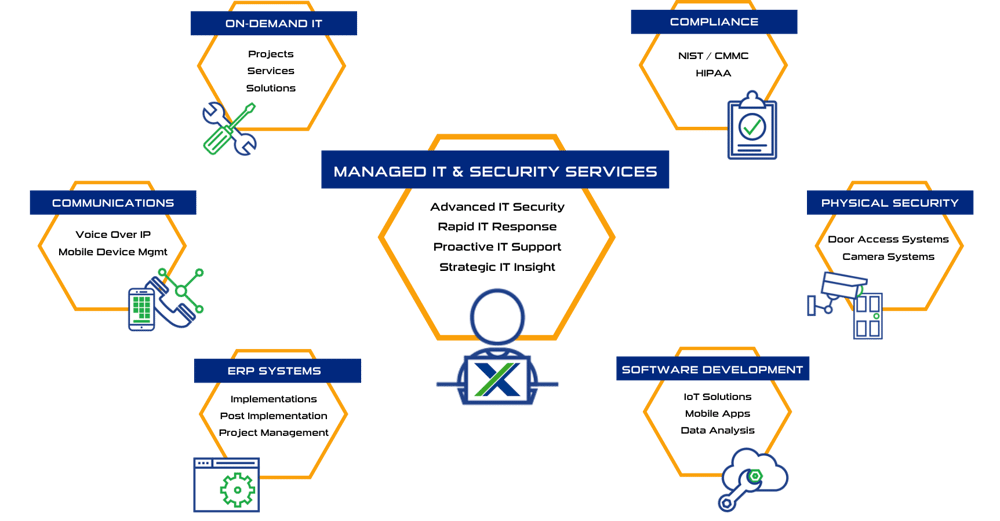
Systems X provides IT solutions and strategic IT guidance with a human touch. Our purpose is to empower you to make better decisions with high-quality data and world-class service. Our creative thinking and purpose-driven solutions are the fundamental gears to guide the strategy that will connect your business with what’s next!!
Sales: (586) 884-7835
Service Desk: (586) 991-1050
Managed Services in Chesterfield, MI
50801 E. Russell Schmidt Blvd, Chesterfield, MI 48051
Managed IT Services in Detroit
400 Renaissance Center Suite 2600 - #2073, Detroit, MI 48243
Managed IT Services in Ann Arbor
2723 S State St Suite 150 - #1690, Ann Arbor, MI 48104
Managed IT Services in Cleveland
1300 Superior Ave #3413, Cleveland, OH 44114
DUNS No.: 79-009-7088
CAGE Code: 8YVR5
NAICS Codes: 541511, 541512, 541513, 541519, 517911, 611420
© 2026 Systems X Corporation