Risk Assessment
Understanding where your business is most vulnerable so you can prepare for the most likely threats.

Because cyber security is a constant balancing act. If you locked down everything so tightly that nobody could ever break in, it would also be nearly impossible for you to use your own systems.
At the end of the day, your business needs to function. You and your team need to be able to send emails, access files, and collaborate with customers without jumping through endless tiring security hoops.
Cyber criminals are smart, and their tactics are constantly evolving. No matter how careful you are, they will always look for new ways to break in. And sometimes, despite your best efforts, they’ll succeed.
This is why cyber security isn’t just about keeping attackers out - it’s about having a plan for what happens if they get in. If your business gets attacked, the speed and effectiveness of your response can mean the difference between a minor inconvenience and a full-blown disaster.
Everything is locked down. You can’t process orders, respond to customers, or access your files. Your team is stuck, unsure what to do. Panic sets in.
You’ll start asking yourself questions:
What’s happened here?
Do we have backups?
Who do we need to notify?
How can we limit the damage?
How long will it take to recover?

Many business owners don’t have the answers to these questions. So, when disaster strikes, they waste precious time scrambling to figure it out. That’s why having a recovery plan in place is so important. It gives you clear steps to follow, so you can act quickly and minimize damage.
Think of cyber security like fire prevention. Your office has fire extinguishers and smoke alarms, right? And you no doubt have a fire escape plan, so everyone knows what to do in an emergency. A cyber security recovery plan works the same way: It’s your emergency playbook for getting back on your feet as fast as possible.
A strong recovery plan covers everything you need to respond effectively to cyber attacks. It helps you understand which systems are critical, where your business’s weak spots are, and what steps you should take if an attack happens.
Understanding where your business is most vulnerable so you can prepare for the most likely threats.
Identifying your most critical systems and data so you know what to prioritize in a recovery.
A clear step-by-step process for detecting, containing, and resolving cyber threats.
Knowing who to notify (employees, customers, legal teams) and how to handle public messaging.
The process of restoring systems and data with minimal disruption.
Making sure you have secure, tested backups so you can restore your data quickly. This includes immutable backups which, once saved, can’t be changed.
Defining who should do what during an attack, so there’s no confusion in a crisis.
Running simulations to find weaknesses before a real attack happens.
Making sure your response aligns with industry regulations.
A cyber attack can cost a small business thousands, not just in lost revenue, but also in legal fees, fines, and reputation damage.
If your systems are down for days, customers may go elsewhere and never return. If their data is exposed, they may lose trust in your business altogether. And if you’re found to have mishandled sensitive information, you could face legal consequences.
The good news is that businesses that prepare for attacks recover much faster, and often with minimal damage.
Cyber criminals don’t just target big companies. In fact, SMBs are often easier targets, because they tend to have weaker security.
For many, the answer is data – customer information, financial records, or intellectual property. Others may want to disrupt your operations and demand a ransom.
Even if you don’t think your business would offer anything valuable, attackers may try to use your systems as a stepping stone to reach bigger targets.
Once you understand what’s at risk, you can focus on protecting it.
One of the biggest threats is phishing – fraudulent emails that trick employees into clicking dangerous links or entering their passwords on fake websites. These emails can look like invoices, messages from colleagues, or alerts from service providers, making them easy to fall for.
Then there’s ransomware, which locks up your files and demands payment to unlock them. If you don’t have backups, this kind of attack can be devastating to your business.
Insider threats are also a risk. A single weak password, a lost laptop, or an ex-employee who still has access to your systems can all put your business in danger.
And it’s not just data breaches you need to worry about. Outdated software, poorly secured Wi-Fi networks, and unpatched systems can all be exploited by cyber criminals.
A clear incident response plan outlines exactly what to do, who is responsible, and how to recover quickly. Without one, confusion takes over, time is wasted, and mistakes can make things worse.
The worst time to figure out your response is during an attack. A solid plan helps to make sure you have the right tools, knowledge, and procedures in place.
Start by assigning clear roles so everyone knows who takes charge, who handles communication, and who contacts IT support. And since human error is often the biggest risk, train employees to recognize threats.
Having secure, immutable backups is also essential. Immutable backups can’t be altered or deleted, even by ransomware, so you can restore your files without paying a ransom.

The faster you can detect an attack the sooner you can stop it – but cyber threats aren’t always obvious. Look out for unusual system activity, fake emails, slow performance, or unauthorized login attempts.
If you suspect an attack, gather as much information as possible on which systems have been affected, when the issue started, and whether any data has been stolen. A structured incident reporting process helps your team act quickly.
Once detected, the first priority is stopping the attack from spreading. If malware is found on any device, disconnect it from the network. If an email account is compromised, reset the password immediately.
Containment strategies vary, but acting out of panic (like permanently deleting a file or shutting down a server) can make recovery harder. Contain the problem first, then assess the damage.
After containing the attack, you need to remove the threat completely and begin restoring systems. This might involve running security scans, restoring backups, and fixing exploited vulnerabilities like outdated software or weak passwords.
If customer or financial data has been compromised, legal and regulatory requirements may apply. You may need to report breaches to authorities or notify affected customers.
Once the crisis is over, review what happened. What worked well? What didn’t? Where were the gaps?
Use the experience to update your security policies, improve employee training, and strengthen your backup strategy. Cyber threats are always evolving, so your defenses should too.
By regularly testing and refining your incident response plan, you’ll make sure your business is ready to act quickly and recover with minimal damage if the worst happens.
Recovering from a cyber attack isn’t just about damage control, it’s about how soon you can get back to business as usual. The difference between a minor setback and a disaster often comes down to how well you prepared.
If a flood destroyed your office, you’d have insurance, backup locations, and an action plan. Planning for cyber attacks should be no different. The goal isn’t just to clean up the mess – it’s to restore operations securely, minimize disruption, and prevent future attacks.
The first step is identifying what needs to be restored first. Losing access to emails for a few hours is frustrating. But losing customer records, payment processing, or order fulfilment could be catastrophic. A business impact analysis helps you prioritize the most critical systems.
Having a strong backup strategy is key. Make sure backups are secure, tested regularly, and stored in multiple locations (in the cloud and offline) to ensure a smoother recovery. Immutable backups, which can’t be altered or deleted by ransomware, offer the best protection.
If you don’t have backups, you may face a difficult decision: Pay a ransom or lose your data. But it’s important to note that paying the ransom doesn’t guarantee you’ll get your files back – and you may be targeted again. Once your systems are restored, security patches must be applied to prevent another breach.
Recovery isn’t instant, and it can take some businesses weeks to restore operations. Having a contingency plan in place can mean the difference between staying afloat or losing customers and revenue.
Consider alternative tools and communication methods in case your emails and systems go down. Transparency builds trust, so have a clear plan for informing customers if their data is affected. Businesses thatcommunicate openly about a breach tend to recover their reputations better than those that try to hide it.

Once the crisis is over, ask: How do we stop this from happening again?
A post-incident review will highlight weaknesses in your defenses. Assess what worked, what didn’t, and where you need to improve – whether that’s stronger passwords, better training, or more advanced security tools.
Cyber criminals often target the same businesses repeatedly, especially if they know there are weaknesses. Strengthening security through regular audits, better access controls, and employee training reduces the risk of another attack.
Don’t think of recovery as getting back to normal, think of it as making “normal” more secure than it was before.
First, identify your most critical data and systems. Which parts of your business can’t you function without? These are the things you need to protect the most.
Next, check your backup strategy. If ransomware hit your business tomorrow, could you restore your files? If your backups aren’t secure and immutable, now’s the time to upgrade them.
After that, enable multi-factor authentication (MFA) wherever possible. This is where you use a code on another device to prove it’s you. This adds an extra layer of protection, making it much harder for attackers to break in.
Employee training is another key step. Since most cyber attacks succeed due to human error, a short awareness session on how to spot phishing emails and create strong passwords can make a big difference. You can go on to plan regular, in-depth training later.
Finally, start drafting a basic recovery plan. Even a simple document outlining who to contact, what to check, and how to access backups can save you precious time in a crisis.
Of course, you’ll want to create a full and thorough strategy too – but taking these steps in the meantime gets you off to a good start. And if you need expert help building a detailed protection and recovery plan, we can do that.
Have Questions? Let's Chat!
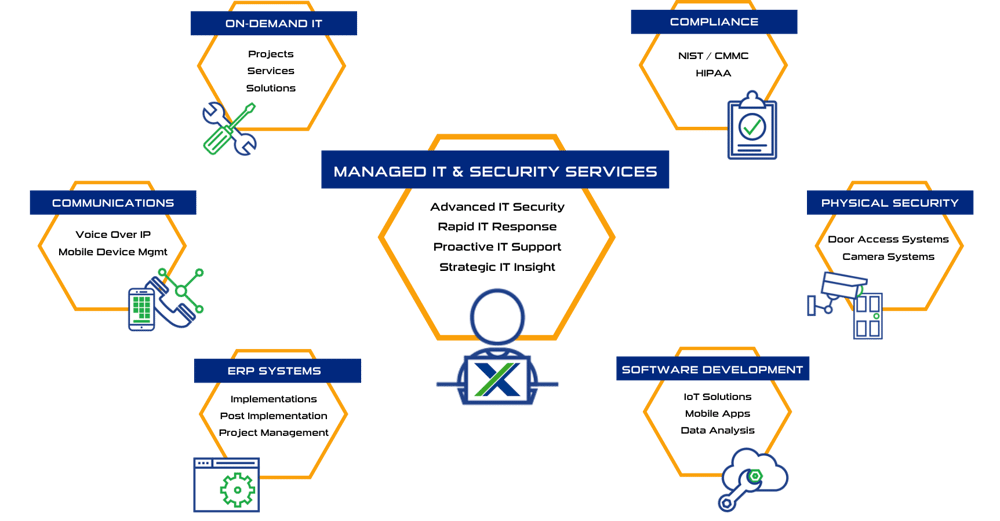
Some of Our Capabilities

Systems X provides IT solutions and strategic IT guidance with a human touch. Our purpose is to empower you to make better decisions with high-quality data and world-class service. Our creative thinking and purpose-driven solutions are the fundamental gears to guide the strategy that will connect your business with what’s next!!
Sales: (586) 884-7835
Service Desk: (586) 991-1050
Managed Services in Chesterfield, MI
50801 E. Russell Schmidt Blvd, Chesterfield, MI 48051
Managed IT Services in Detroit
400 Renaissance Center Suite 2600 - #2073, Detroit, MI 48243
Managed IT Services in Ann Arbor
2723 S State St Suite 150 - #1690, Ann Arbor, MI 48104
Managed IT Services in Cleveland
1300 Superior Ave #3413, Cleveland, OH 44114
DUNS No.: 79-009-7088
CAGE Code: 8YVR5
NAICS Codes: 541511, 541512, 541513, 541519, 517911, 611420
© 2025 Systems X Corporation