Preparing Your Business for AI Tools
The past few years have seen countless conversations about AI and its changes within the business landscape...
/JargonConfusion.png?width=287&height=204&name=JargonConfusion.png)
Business owners see demonstrations online and immediately start thinking about how it could help their company.
They hear stories about people creating reports in minutes, writing emails with a few prompts, analyzing data instantly, or producing marketing content at remarkable speed.
It’s easy to understand the excitement. Tools like Microsoft Copilot have the potential to remove a lot of the small tasks that eat away at the working day. The possibility of getting more done without needing more hours is an appealing hook, but it’s easy to miss what’s behind those impressive demonstrations.
When you watch someone using AI, you’re usually seeing the final step in a much bigger process. You don’t see how their files are organized or how their systems are managed. And you don’t see whether they’ve spent years building good habits around security and data management.
We’ve worked with businesses at every stage of that journey. Some are already in a strong position to take advantage of AI. Their systems are organized, their security is in good shape, and information is stored where people can find it. Others are carrying around years of digital clutter. Documents are scattered across different locations, employees have access to things they shouldn’t, and nobody’s sure which version of an important file is the latest one.
Introducing AI into those environments can still work, but the results aren’t always as impressive. Let's imagine you hired a new employee tomorrow, you’d want them to have access to accurate information, clear processes, and the right tools to do their job properly.
AI works much the same way. The better the environment you give it, the more usable it becomes.
Starting With The Technology
One of the easiest mistakes to make with any new technology is becoming fascinated by the tool itself. It happens every time something new arrives.
Years ago, businesses were asking whether they should move to the cloud. Then it was collaboration platforms, then automation tools, now it’s AI. The conversation starts with the technology rather than the business issue that needs solving. A better starting point is to look at where time disappears during a normal week.
Perhaps your team spends hours writing follow-up emails after meetings. Maybe managers are creating reports manually every month. Perhaps finding business information takes far longer than anyone would like.
These are the kinds of situations where AI could make a difference.
Let’s imagine you’re interested in Copilot because you’ve seen a demonstration online. If someone asked you what you'd want it to do for your business, would you have a good answer? After thinking about it for a while, you might realize the frustration point is your management team spending several hours each week pulling information together for internal reporting.
Once you’ve identified the problem, it becomes much easier to decide whether AI could help and what success would look like. That produces far better results than starting with the technology and hoping a use case appears later.
AI has its use cases when it’s applied to specific tasks that already consume time, create frustration, or slow people down. For example, Copilot can help draft documents, summarize meetings, analyze spreadsheets, produce first versions of reports, and assist with research.
The businesses seeing the strongest results are usually clear about where those tools fit into their day-to-day work. Before looking at licenses, products, or AI features, spend some time identifying where your team loses time today.
Get Your Information Under Control
Most businesses already have some protection in place.
You might have security software, which helps detect harmful programs. You’ll likely have a firewall, which controls how your network connects to the outside world. These are still important and should always be there.
The problem is that many modern attacks don’t try to force their way in. They log in instead.
If someone has a real username and password, systems often treat them as a regular user. From the system’s point of view, everything looks fine.
There are also everyday habits that slowly increase risk.
Access is often given more widely because it’s quicker. Passwords get reused because it’s easier. Accounts stay active because removing them isn’t urgent.
It’s how busy businesses operate, but over time it creates a setup where it’s harder to see who has access and what they can do. Security now needs to match the way people work.
The more confidence you have in your data, the more confidence you’ll have in the answers AI produces.
/SXIcon_Detection.svg)
/SXIcon_NetworkShare.svg)
Are files stored in consistent locations?
/SXIcon_SpearPhishing.svg)
Are old versions being archived or removed?
/SXIcon_AdvancedEmailSecurity.svg)
Is information sitting inside individual inboxes when it should be available to the wider team?
Businesses that have embraced platforms like SharePoint, Teams, and OneDrive are in a stronger position because information is already centralized and easier to manage.
The goal is making sure that valuable business information is accessible, organized, and reliable.
The more confidence you have in your data, the more confidence you’ll have in the answers AI produces.
Review Your Access Permissions
One thing becomes obvious when you work with businesses for long enough: Staff pay close attention to leadership behavior. If managers ignore security processes whenever they become inconvenient, employees notice. If directors regularly ask staff to share passwords “just this once”, that quickly becomes accepted behavior across the business.
The opposite is true as well. When leadership follows the same processes as everyone else, people take them more seriously. And thankfully, good leadership around security doesn’t require technical expertise. You don’t need to understand firewalls or encryption in detail. What matters more is the attitude around decision making.
Do people feel comfortable reporting concerns?
Do managers encourage sensible checking instead of rushing?
Are systems reviewed properly when staff join or leave?
Those things shape culture far more than annual training sessions do. Businesses can spend large amounts on security software and still run into avoidable problems because basic internal habits never improved. Businesses with far simpler systems can operate very securely if the culture around technology is healthier. Employees check things. Questions are encouraged. Processes are clear. Consistency makes a huge difference.
Strengthen Your Security Foundations
Security should always be part of technology planning, regardless of whether AI is involved. AI provides a good opportunity to review those foundations. Businesses are storing more data than ever. Customer information, financial records, supplier agreements, employee details, and intellectual property are all valuable assets.
Protecting that information is important. There are still organizations operating with weak passwords, missing security updates, shared user accounts, or systems that haven’t been reviewed in years. Those weaknesses can hide in the background for a long time if you leave them unchecked.
AI makes data more valuable and more accessible to the people using it.
AI capabilities can be used with confidence when you have a strong security posture.
Short Conversations Work Better Than Annual Training
Most people have experienced terrible security training at some point. A long presentation, endless slides, statistics nobody remembers. By the end, half the room is mentally planning dinner.
The businesses getting the best results usually handle awareness differently. Security becomes part of normal conversation.
-
A quick reminder about a new phishing scam that’s doing the rounds.
-
A short discussion during a team meeting.
-
A real example of how a business nearby was caught out.
Those smaller conversations tend to stick because they feel relevant to everyday work. And importantly, people need to feel safe admitting mistakes.
If somebody clicks something suspicious, the priority should be resolving the problem quickly, not embarrassing them in front of the team. Businesses where employees hide mistakes out of panic often discover issues much later than they otherwise would have done. That delay can turn a manageable situation into a much larger one.
The strongest security cultures have plenty of small checking conversations happening every week.
Putting The Right Protection Around The Business
Good habits are incredibly important, but they still need supporting with sensible technical protection. That includes things like keeping software updated, protecting devices properly, filtering suspicious emails, reviewing who has access to systems, and making sure backups are working.
Backups are particularly important because they give you a way to recover information if something goes wrong. But they do need testing occasionally. A backup that has never been checked properly can create an unpleasant surprise when you need it.
It also helps to think carefully about access. Most employees don’t need access to everything in the business. Modern systems allow access to be based around somebody’s role, which keeps things much easier to manage.
If an account is compromised, the damage is limited when permissions are controlled properly. This becomes especially important as businesses grow, because systems naturally become more complicated over time. More staff, software, suppliers, and more devices connecting remotely.
Without frequent reviews, it becomes increasingly difficult to keep track of who can access what.
Building Something Stronger Over Time
Improving your cybersecurity doesn’t mean changing everything at once.
It starts with getting a better understanding of what you have today.
-
Clearer processes around employee access
-
Better password protection
-
More awareness across the team
-
Frequent reviews of systems and permissions
-
Better conversations internally
And the businesses that handle this best usually are the ones where sensible habits have become part of normal working life. That creates confidence. People know what to do if something feels wrong. Leadership understands where the biggest risks sit. And systems are reviewed before problems appear, instead of afterwards. All it needs is attention and consistency.
Most businesses are already much closer to this than they think, they usually just need somebody to help connect the dots, tighten a few processes, and make sure the foundations underneath everything are rock solid.
That’s where a good IT support partner can make a real difference, by helping you build a business where security supports the way your team already works.
If you’re ready to build a stronger, more security-aware business without making day-to-day work harder for your team, we’d love to help. Get in touch.
Have Questions? Let's Chat!
Loading...
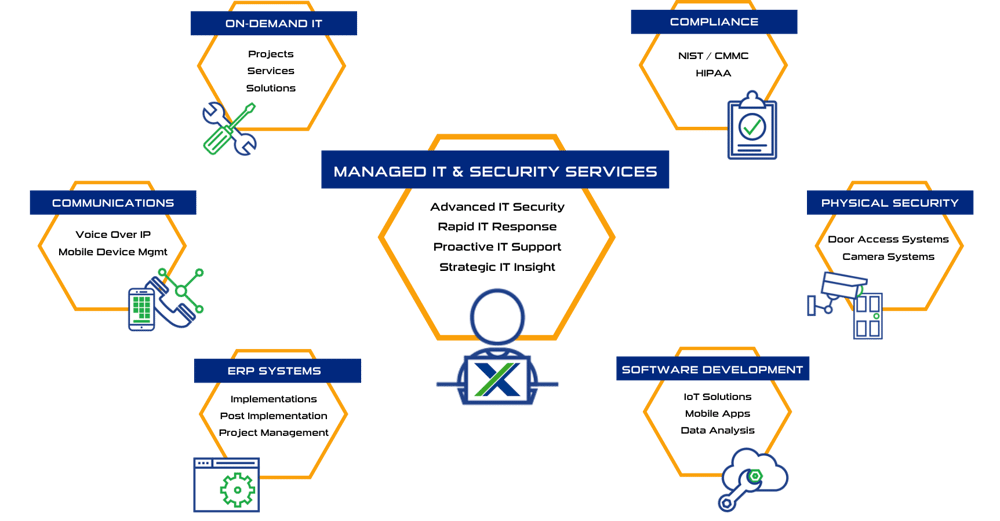
Some of Our Capabilities
About Us
Systems X provides IT solutions and strategic IT guidance with a human touch. Our purpose is to empower you to make better decisions with high-quality data and world-class service. Our creative thinking and purpose-driven solutions are the fundamental gears to guide the strategy that will connect your business with what’s next!!
Sales: (586) 884-7835
Service Desk: (586) 991-1050
COMPANY INFO
Managed Services in Chesterfield, MI
50801 E. Russell Schmidt Blvd, Chesterfield, MI 48051
Managed IT Services in Detroit
400 Renaissance Center Suite 2600 - #2073, Detroit, MI 48243
Managed IT Services in Ann Arbor
2723 S State St Suite 150 - #1690, Ann Arbor, MI 48104
Managed IT Services in Cleveland
1300 Superior Ave #3413, Cleveland, OH 44114
DUNS No.: 79-009-7088
CAGE Code: 8YVR5
NAICS Codes: 541511, 541512, 541513, 541519, 517911, 611420
RESOURCES
© 2026 Systems X Corporation